
How to Apply for Your USVI Medical Cannabis Card Online
A screenshot-by-screenshot walkthrough of the OCR patient portal. Register, fill out your application, upload your photo, and submit.
Updated April 14, 2026
In this guide16 sections
You have your practitioner’s certification. Now you need to turn it into a card. This guide walks you through every screen of the OCR patient portal, from creating your account to hitting submit.
The whole thing takes about 15-20 minutes if you have your documents ready. You can save your progress and come back later if you need to.
Before you start
Have these ready before you open the portal:
- Practitioner certification. Your doctor submits this electronically through the same portal, so it should be waiting for you when you reach that step. If you haven’t seen a practitioner yet, find one in the practitioner directory.
- Passport-style photo on a white background. This goes on your card. No selfies, no filters. Neutral expression, eyes visible, taken within the last six months. Full requirements are in Step 9 below.
- Personal information. Social Security number, driver’s license or state ID number, physical address (no PO boxes), phone number, email.
- Payment. Up to $50 by check or credit card. You can mail it or bring it to DLCA in person (faster).
Step 1: Register on the OCR portal
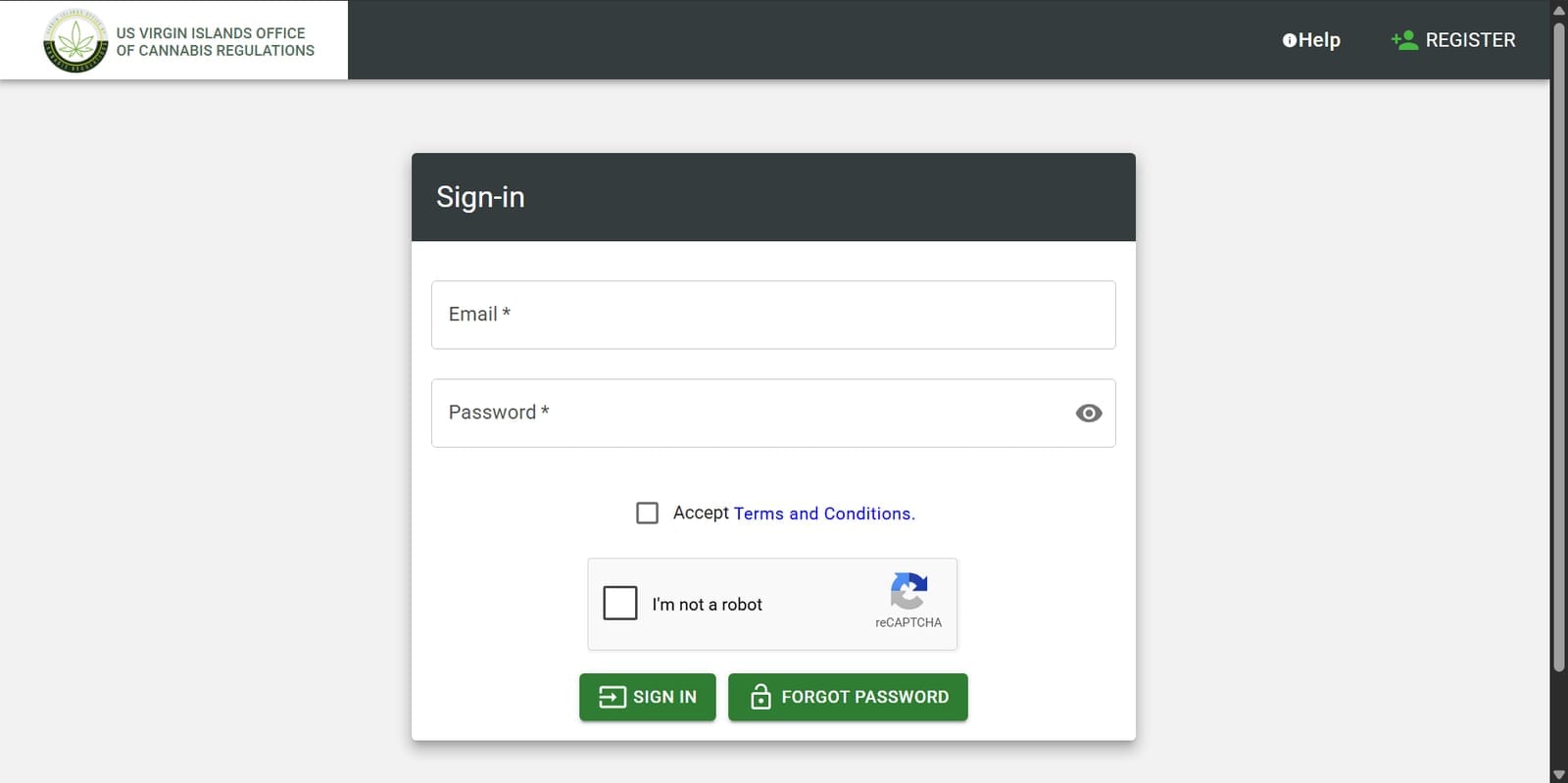
Go to the OCR patient portal. Click Register in the top right corner.
Step 2: Create your account
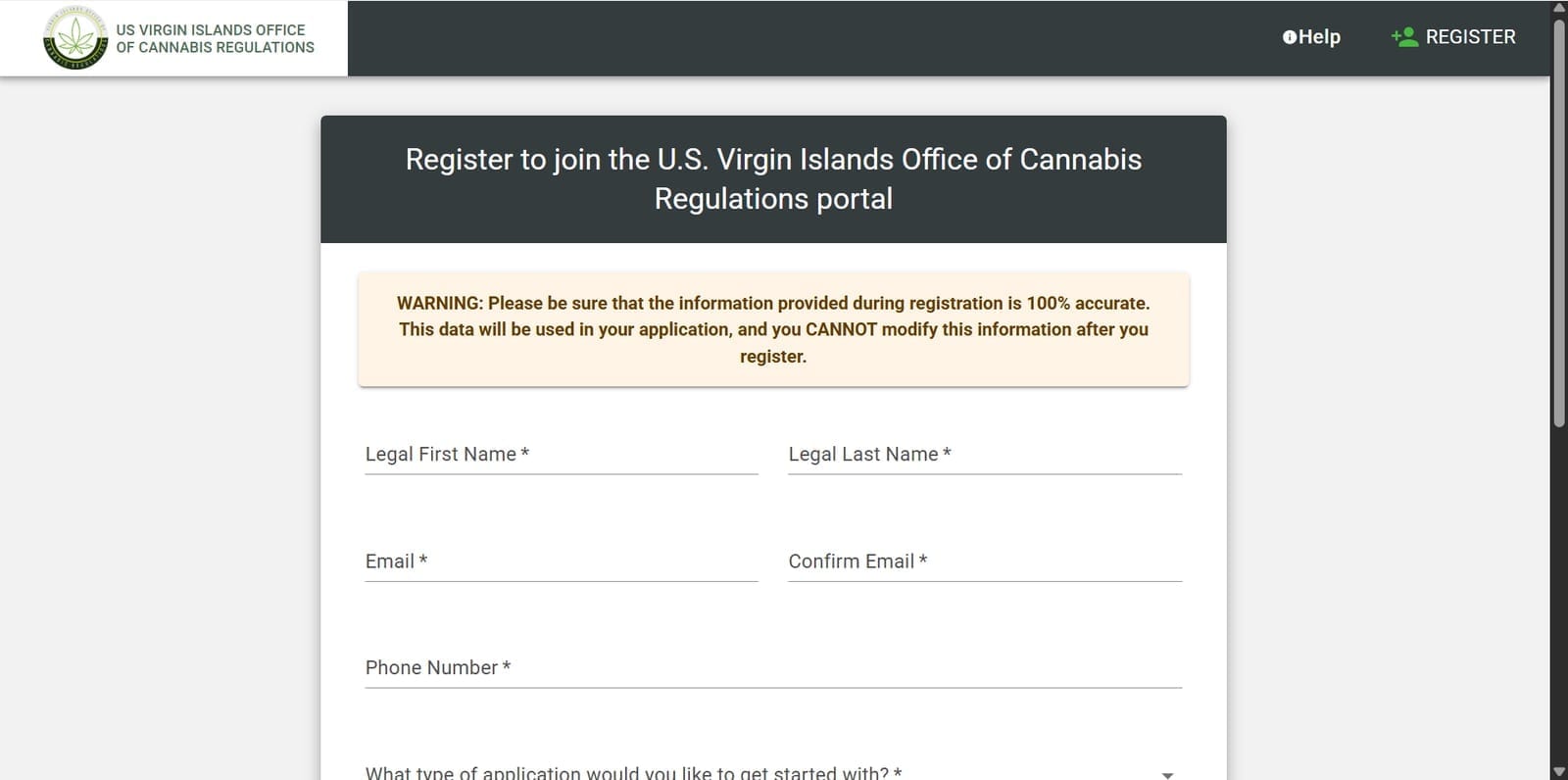
Fill out your legal first name, legal last name, email, and phone number. Read the warning at the top carefully: the information you enter during registration is used in your application, and you cannot change it after you register.
Double-check your name and email before clicking Register.
Step 3: Verify your email and log in
Check your email for a verification link from the portal. Click it to verify your address, then log in with the email and password you just created.
Step 4: Create a new application
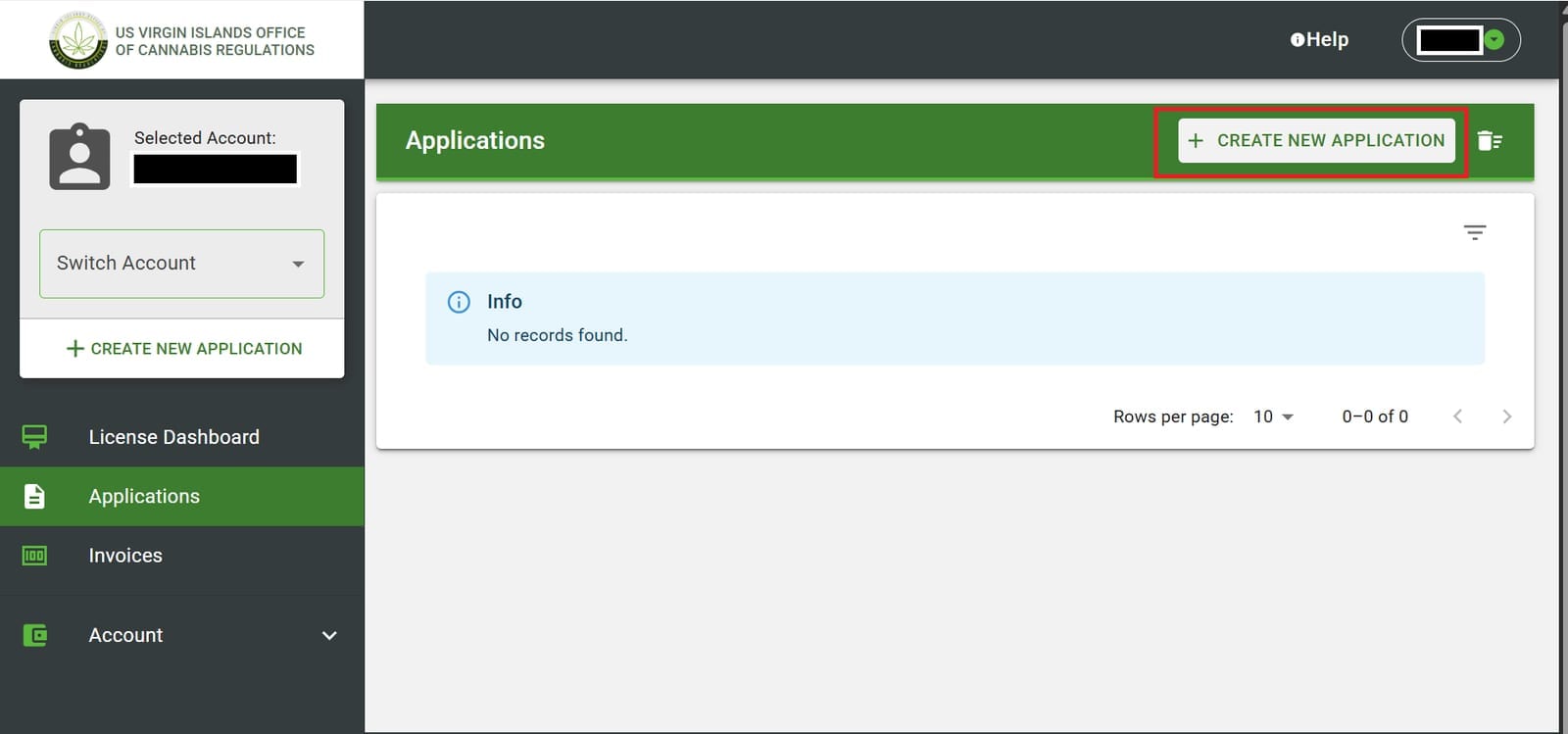
Once you’re logged in, click Applications in the left sidebar under License Dashboard. Then click the green Create New Application button.
Step 5: Select Patient and New Patient Registration
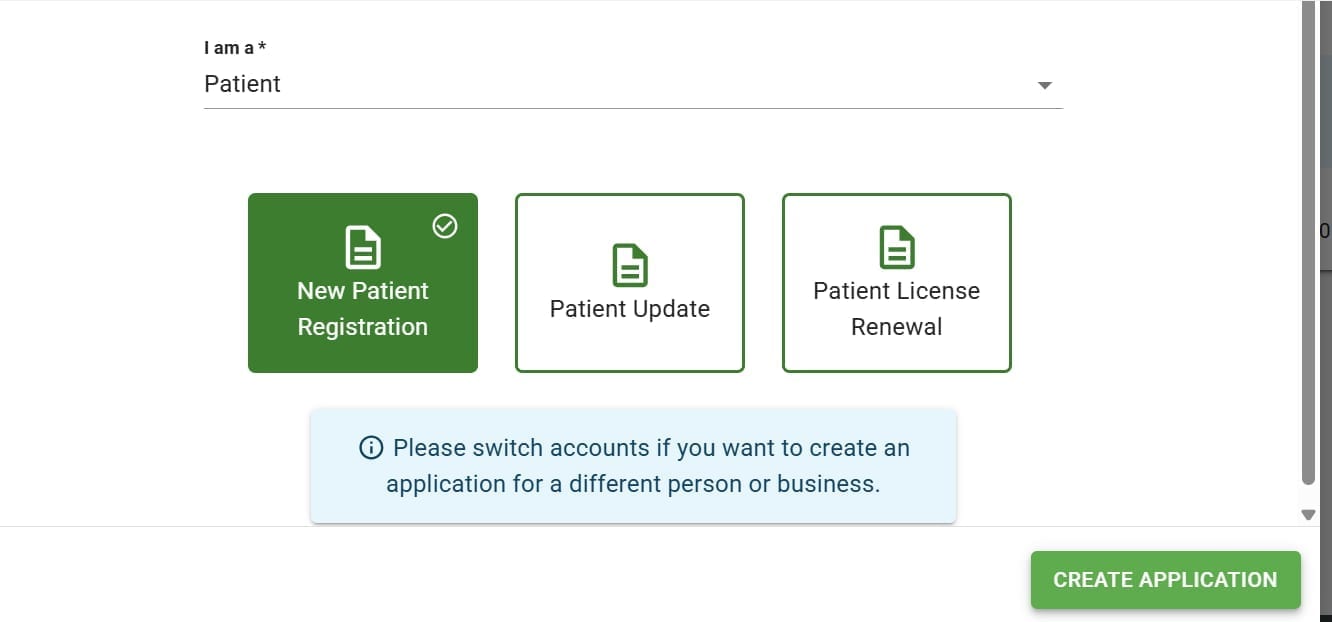
In the “I am a” dropdown, select Patient. Then select New Patient Registration (the first card). Click Create Application.
If you’re renewing an existing card, select Patient License Renewal instead.
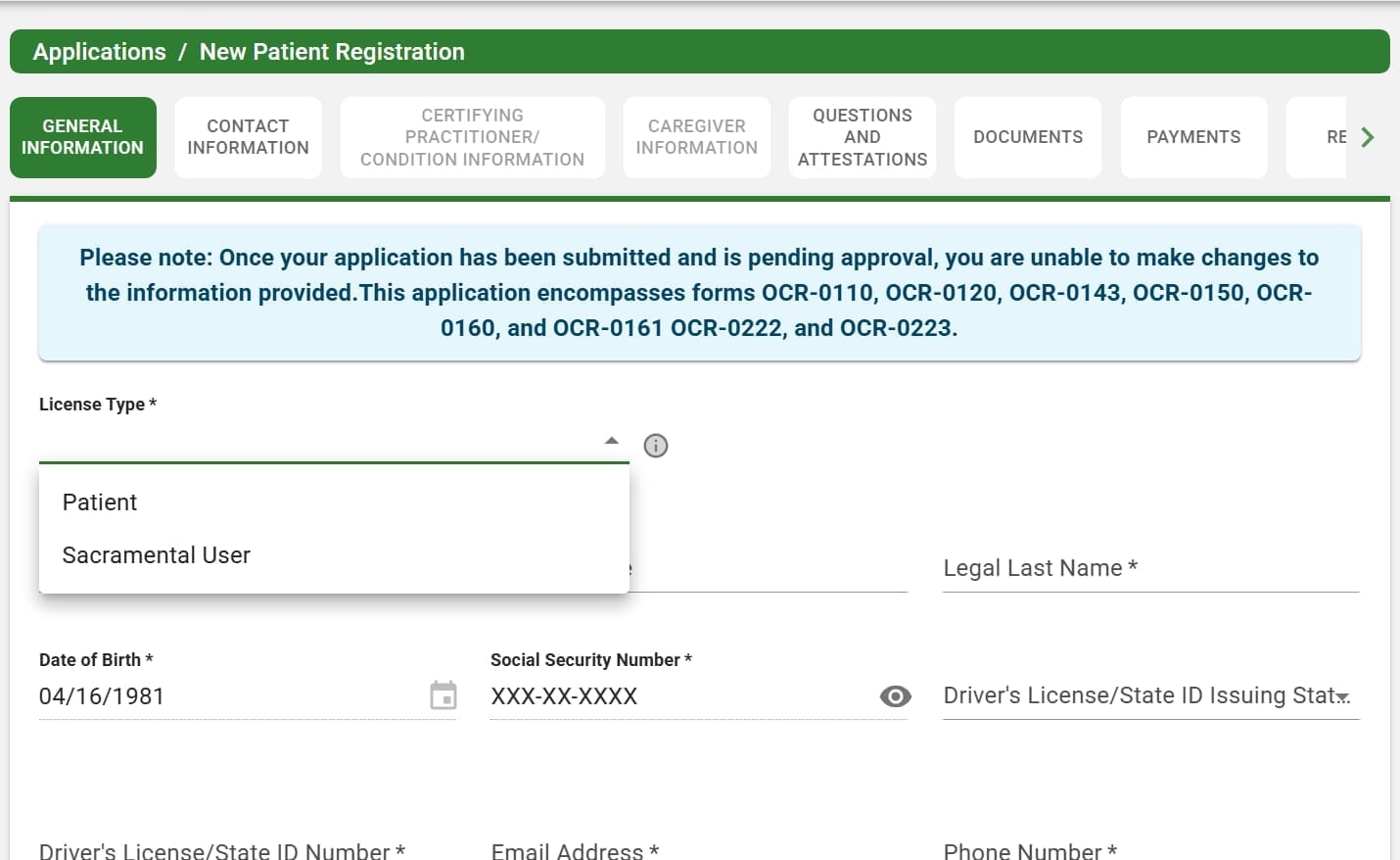
Step 6: General Information
Fill out all fields: license type, legal name, date of birth, Social Security number, driver’s license number, and issuing state. Click Save & Next when you’re done.
The portal saves your progress, so if you need to step away, your work will be here when you come back.
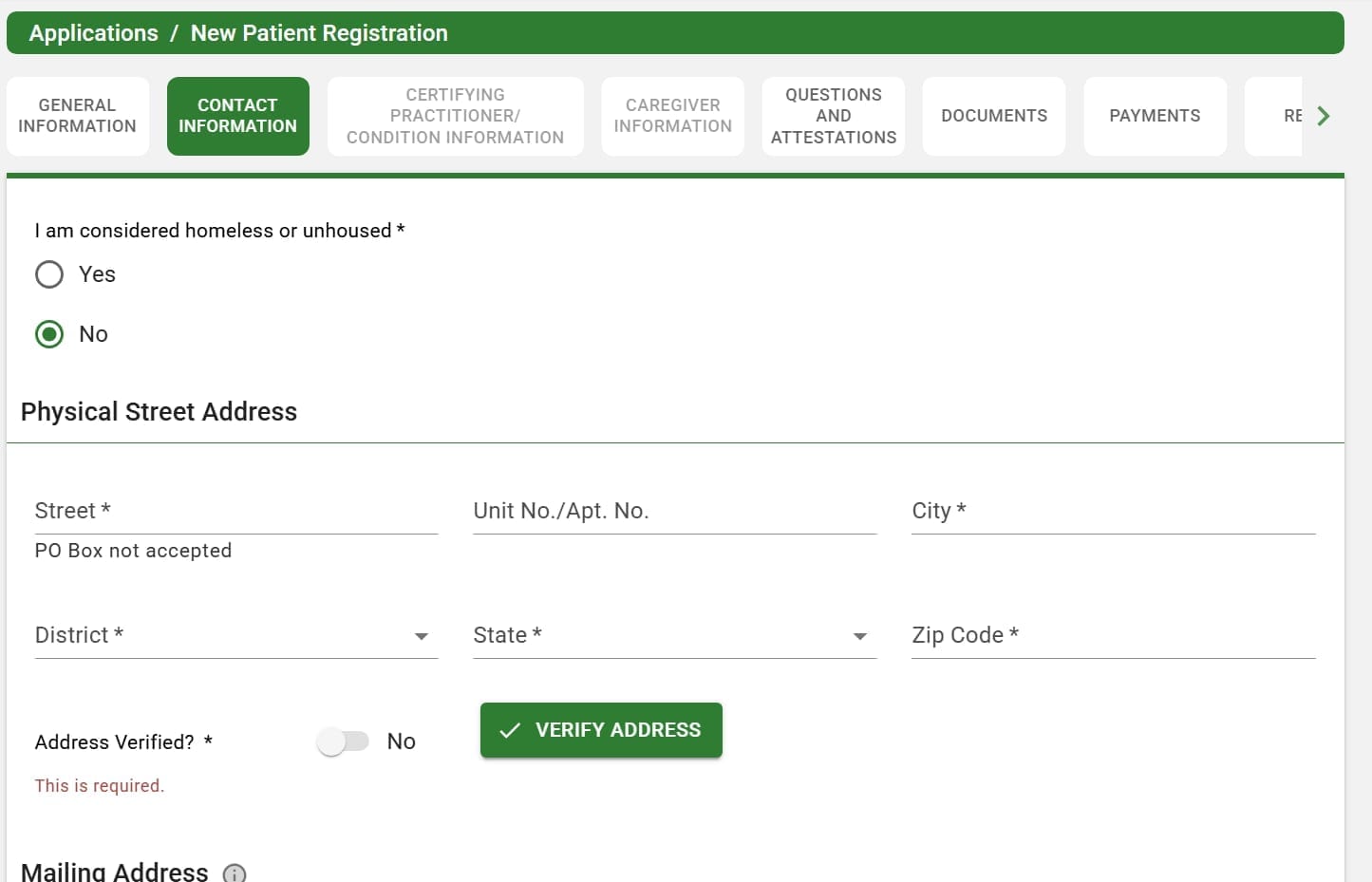
Step 7: Contact Information
Enter your physical street address (PO boxes are not accepted), district, state, and zip code. Toggle the address verification and click Verify Address.
Fill out your mailing address if it’s different from your physical address. Click Save & Next.
Step 8: Certifying Practitioner / Condition Information
This section only unlocks after you complete the previous two steps. If your practitioner has already submitted your certification through the portal, click View Recommendation and you should see their name and examination date.
Select the recommendation to auto-fill your practitioner and condition information. Click Save & Next.
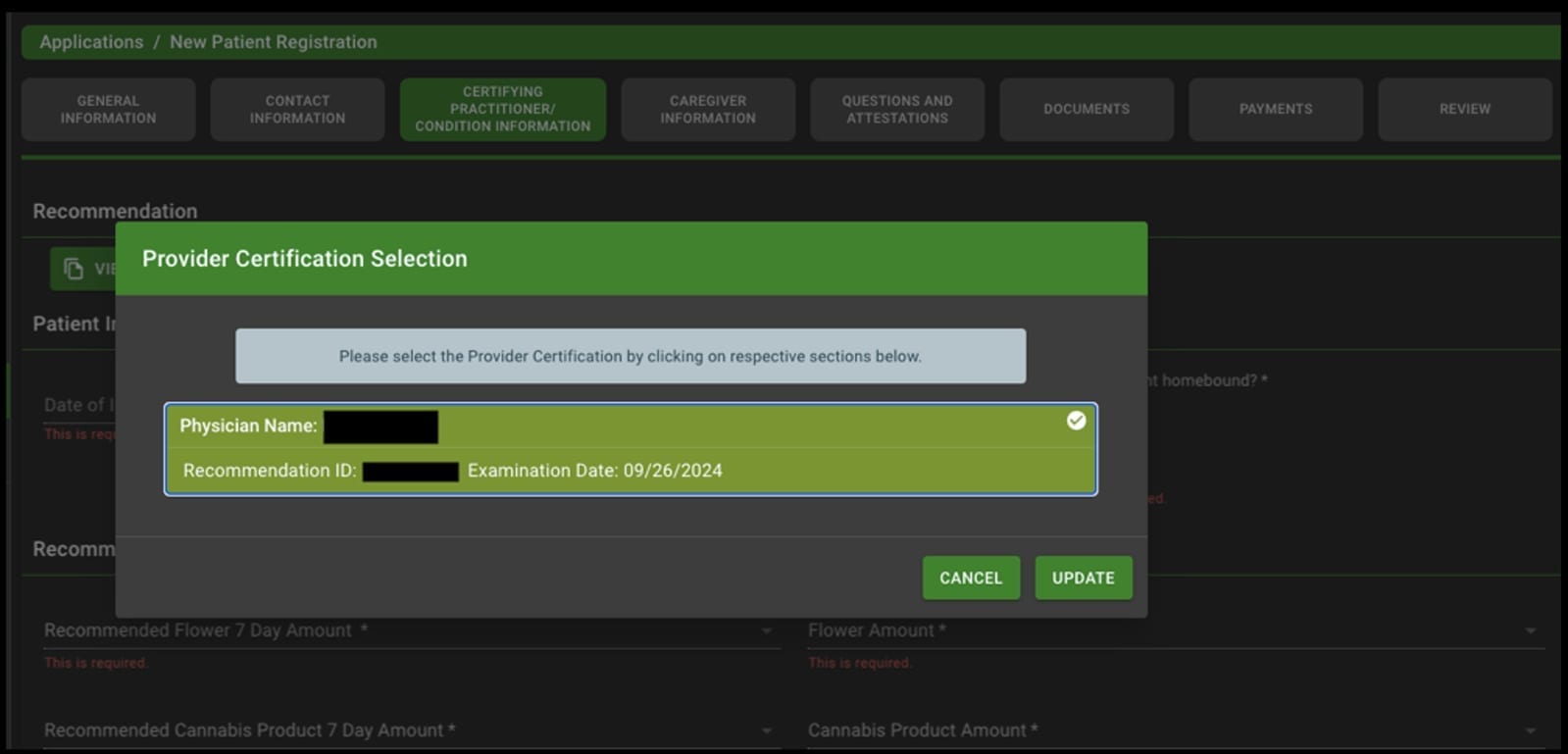
If you don’t see a recommendation here, contact your practitioner. They need to submit your certification through the portal before you can complete this step.
Step 9: Caregiver Information
This section should be pre-filled with your practitioner’s information. Review it for accuracy and click Save & Next.
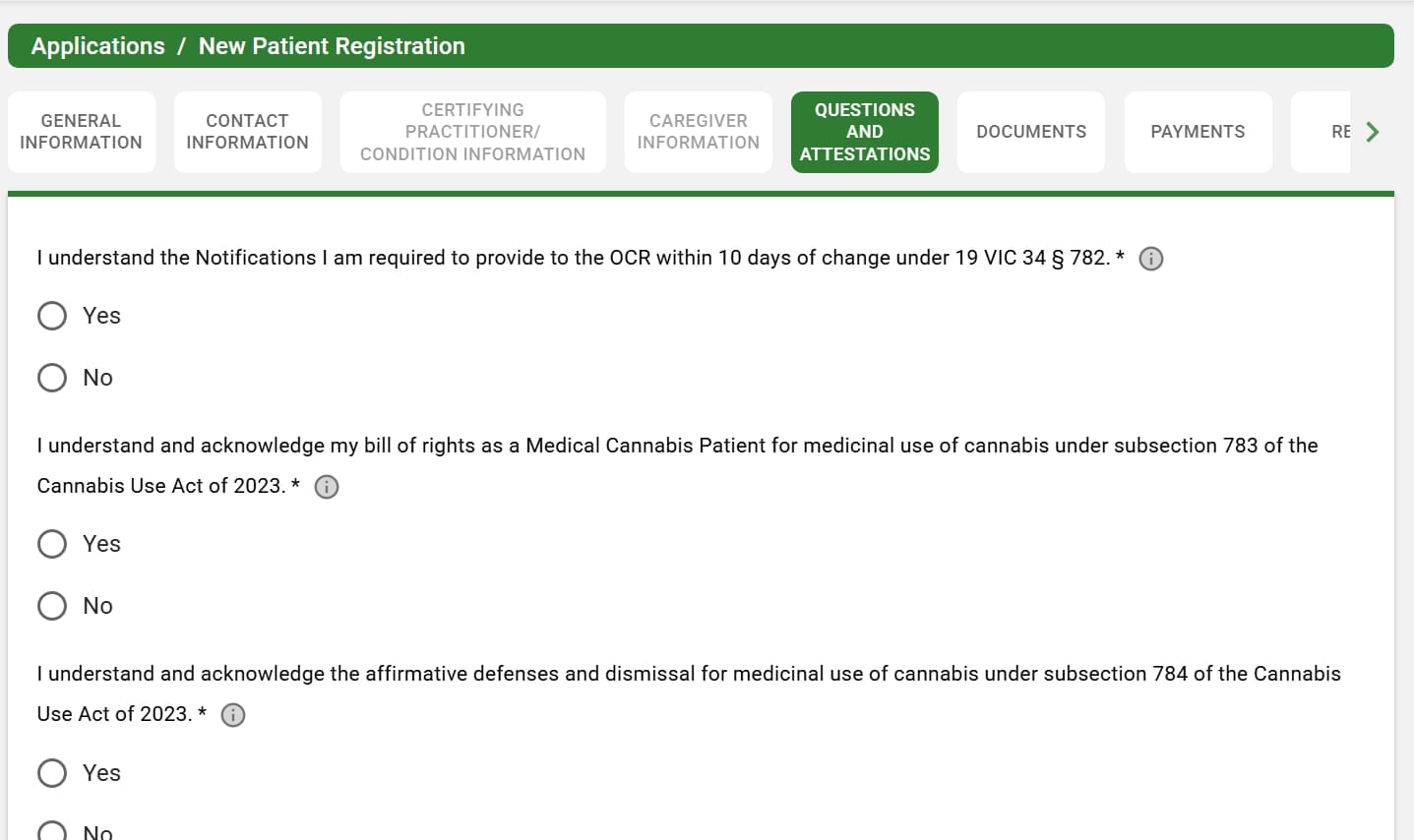
Step 10: Questions and Attestations
Read each statement carefully. You’ll acknowledge your rights as a medical cannabis patient, notification requirements, and affirmative defenses under the Cannabis Use Act of 2023.
Answer each question, sign the document, and click Save & Next.
Step 11: Documents (upload your photo)
Upload your digital photo for your cannabis card. The portal requires a digital photo of patient on white background.
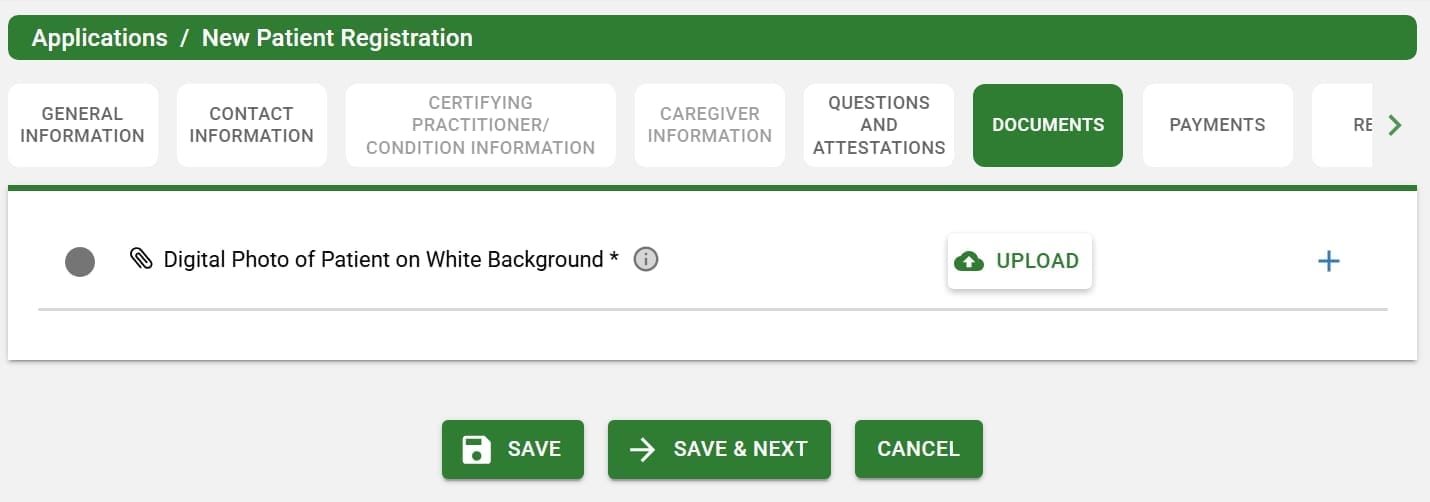
Here are the photo requirements:
- Taken within the last six months, facing forward with a neutral expression and eyes clearly visible
- Clear image of your face, no social media filters
- Centered on the photo, head and top of shoulders only
- Someone else takes your photo. No selfies.
- White or off-white background, no shadows, textures, or lines
- Cannot be cropped, retouched, or obfuscated
- No glasses, visors, or hats (religious or medical head coverings are allowed)
- Must be sharp, without any visible grain or printer dots
Get your photo sorted before you start the application. It’s the one thing that trips people up mid-process.
Click Save & Next after uploading.
Step 12: Payment
The application fee is up to $50. You can pay by check or credit card.
By check: Make it payable to The Government of the US Virgin Islands. Include your legal first name, last name, and application reference number in the memo line. Your reference number appears after you submit the application.
By credit card: Download the Credit Card Authorization form, fill it out, and sign it.
You can mail either form of payment to:
Office of Cannabis Regulation
8201 Sub Base, Suite 1
St. Thomas, VI 00802
Or bring your check or signed credit card authorization form directly to DLCA for processing. Walking it in is faster.
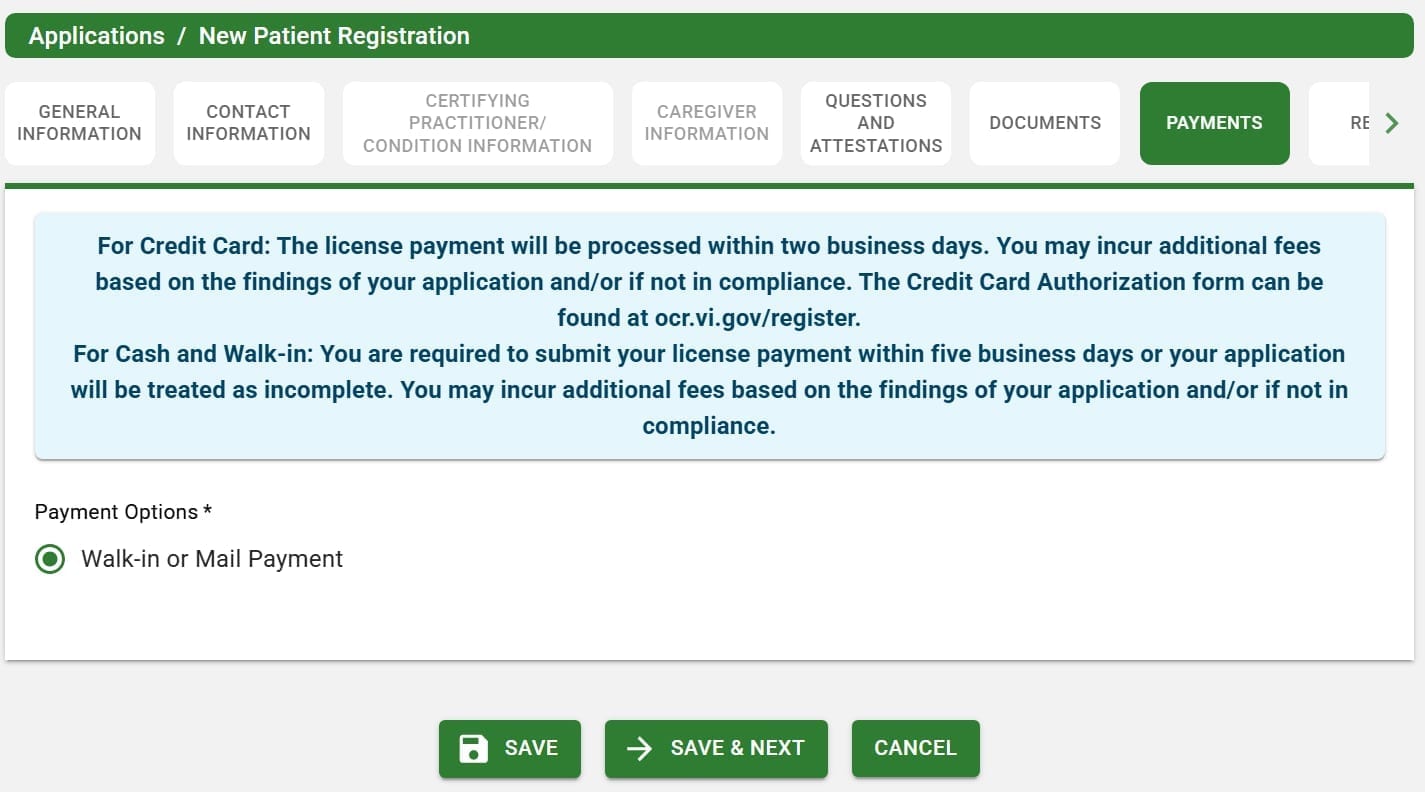
Submit your payment within five business days of submitting your application, or it will be treated as incomplete.
Step 13: Review and submit
The Review tab shows everything you entered. Items marked with a red X need attention before you can submit. Go back and fix anything that’s flagged.
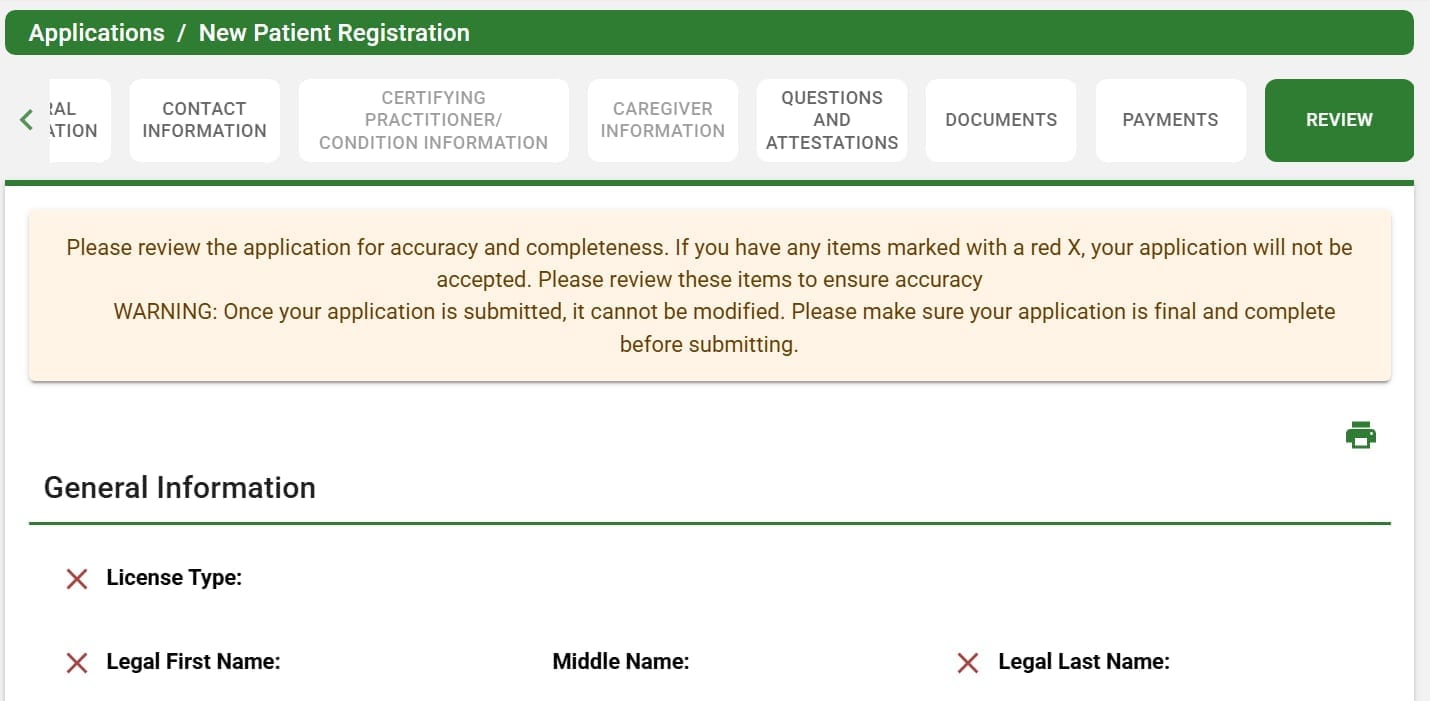
Once everything looks right, click Submit. Your application cannot be modified after submission.
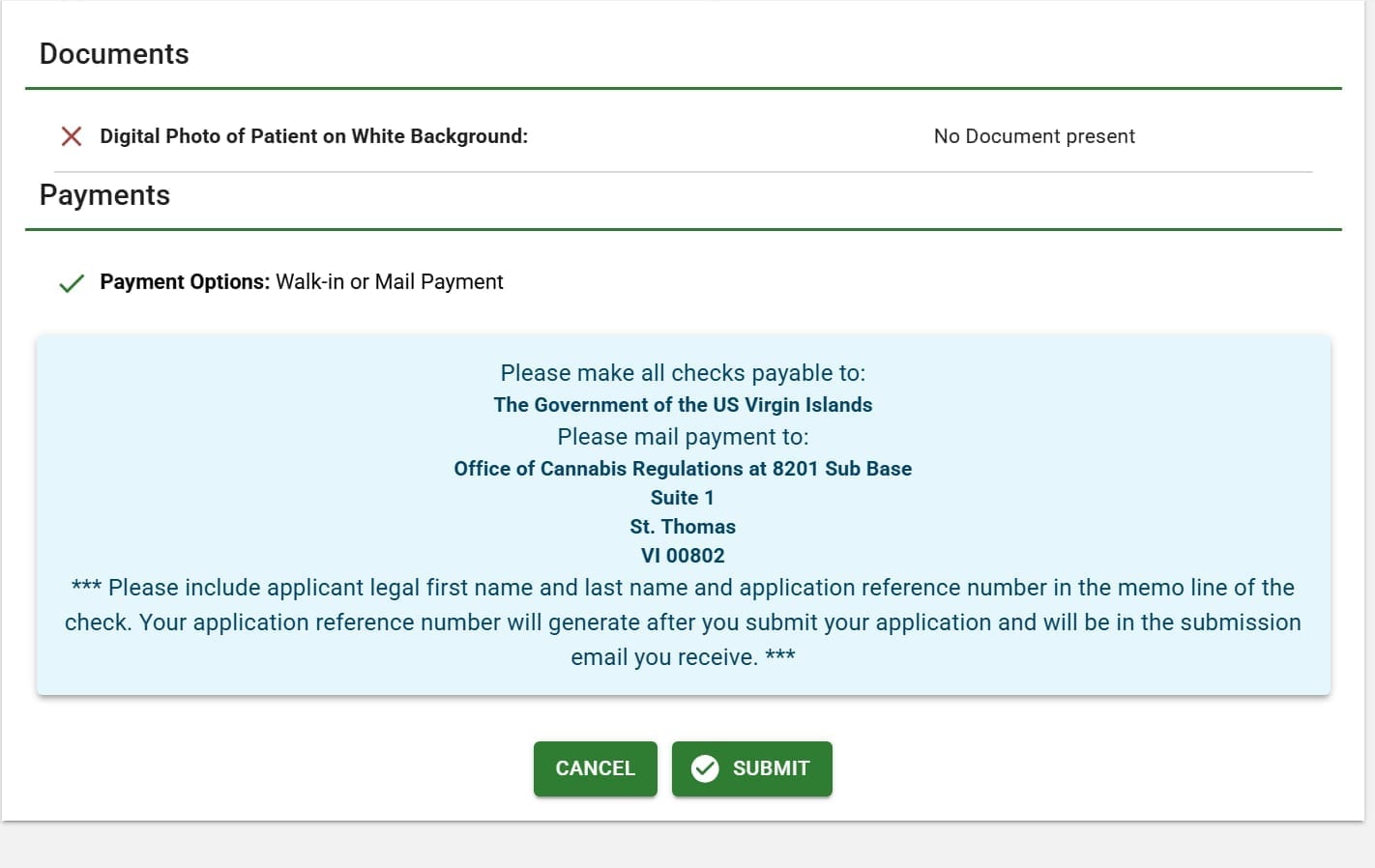
After you submit, your application appears in your License Dashboard. Note your application reference number for your payment.
What’s next
Your application goes to OCR for review. Keep an eye on your email and your License Dashboard for status updates. If OCR needs anything else from you, they’ll reach out through the portal.
Once approved, OCR issues your medical cannabis card. The card gives you higher possession limits (4 oz flower vs. 2 oz for adult-use), the right to grow at home (up to 6 flowering plants), and access starting at age 18 instead of 21. For a full breakdown of what the card gets you, see Obtaining Your VI Medical Cannabis Card.
Related guides
- Obtaining Your VI Medical Cannabis Card - qualifying conditions, costs, practitioner types, and what the card gets you
- USVI cannabis patient FAQs - possession limits, home growing, caregiver rules
- Cannabis for visitors: tourist guide - what non-residents need to know
- USVI cannabis fees - complete fee schedule for all license types
Frequently asked
- How long does the USVI medical cannabis card application take?
- The online application itself takes about 15-20 minutes if you have everything ready. After you submit, OCR processes your application and issues your card. Processing times vary, but having your photo, practitioner certification, and payment prepared before you start keeps the portal work quick.
- What photo do I need for my USVI cannabis card?
- A passport-style digital photo on a white or off-white background. Face the camera with a neutral expression, eyes clearly visible. No selfies, no social media filters, no hats or sunglasses (religious or medical head coverings are fine). The photo must be recent (within the last six months) and cannot be cropped, retouched, or obfuscated.
- How do I pay for my USVI medical cannabis card?
- The application fee is up to $50. You can pay by check or credit card. For credit card, download the Credit Card Authorization form and mail it to DLCA. For check, mail it to the Office of Cannabis Regulation at 8201 Sub Base, Suite 1, St. Thomas, VI 00802. The fastest option: bring your payment and application reference number directly to DLCA in person.
- Can I save my OCR portal application and finish later?
- Yes. Every section has a Save button. The portal saves your progress and you can log back in to pick up where you left off. You do not need to complete the entire application in one sitting.